
Screening Tab
Learn how to rapidly screen a vessel and ownership against global sanctions lists.
2. Go to the LRIT drop-down menu on left-hand side panel, and select Screening
3. You will find a panel with the following options:

- Credit history: You will find the historical of the screening credit purchased in the past.
- User Promo Code: In case you have a promo code provided by your Success Manager or Sales team, please enter it to get it Redeem.
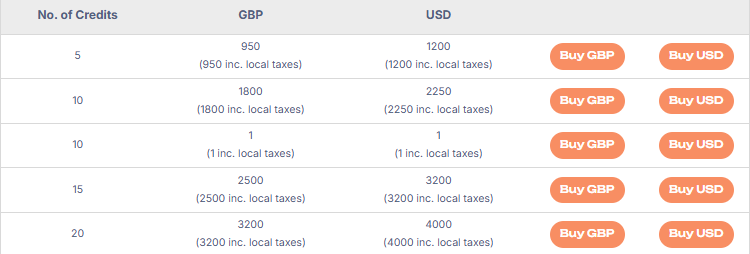
- Purchase Credits: you can select the credits you wish to purchase.
- Vessel Screenings: you will find the list of vessels that have been screened.
- +NEW SCREENING: Here you can proceed with the screening by selecting a Vessel to screen
❗Important note: Ship and voyage details are subject to frequent change. Therefore, Pole Star’s PurpleTRAC screening report presents results as a snapshot in time, at the time the screening was requested.
It is recommended to only screen a vessel on the date and time you require the result for.
Also note that reports older than 24 hours will be marked as “Expired” in the table on the homepage. These reports will however still be available for download for 30 days.